Mobile access
Sweet Bonanza Super Scatter on mobile
There is no standalone Sweet Bonanza Super Scatter app, and there never will be. Slot studios do not publish individual games to the App Store — operators do. What you can have is a home-screen icon that opens the slot in one tap and behaves exactly like an app.
Below: the three routes onto your phone, step-by-step setup for iOS and Android, what each one costs you in storage and convenience, and the fixes for the eight problems people actually run into.
- Download size0 MB
- Setup time~1 min
- RTP on mobile96.51%
- Data per hour15–25 MB
The straight answer
Why there is no Sweet Bonanza Super Scatter app
It is the single most searched question about this slot, and the answer is structural rather than technical.
Pragmatic Play builds games; it does not run a consumer storefront. A single slot has no account system, no payment processor and no licence of its own, so there is nothing to publish. What gets published to the App Store and Google Play are casino apps — and the slot sits inside them alongside a few thousand others.
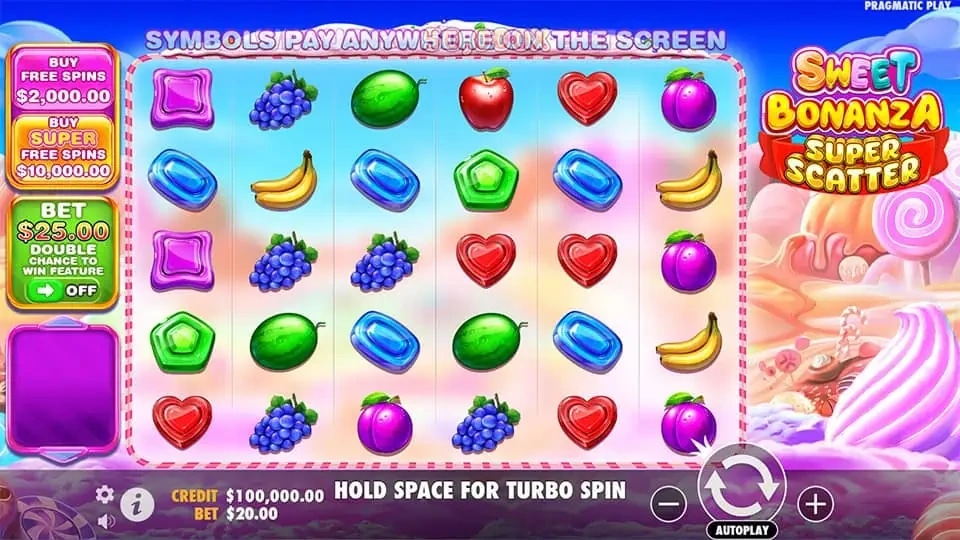
The game itself is HTML5. That means it renders in any modern mobile browser at full quality, with every feature intact: the Ante Bet toggle, turbo spin, the full paytable screen and the same 96.51% RTP build the desktop lobby serves. Nothing is stripped out for mobile.
So you have three genuine options, and one trap. The three are covered below. The trap is any site offering a “Sweet Bonanza Super Scatter APK” for download — Pragmatic Play publishes no such file, so whatever that download contains was written by somebody else entirely.
New to the slot itself? The full game guide explains the paytable, the Super Scatter ladder and the Multiplier Bombs before you put money on it.

Three routes
How to get the slot onto your phone
Pick based on how often you play. Occasional sessions belong in the browser; a regular habit is worth the shortcut; heavy use on a decent handset justifies the operator's own app.
Mobile browser
Open Safari or Chrome, sign in at the casino, search the lobby. Nothing to install, nothing to update, and the game runs at full RTP. The trade-off is that you retype or autofill your login each session and the browser chrome eats a strip of screen.
Home-screen shortcut
A bookmark that behaves like an app: its own icon, full-screen launch with no address bar, and the casino session stays signed in. This is what most people actually want when they search for the app. Setup steps for both platforms are below.
Native casino app
Some operators publish a real app — SPINBOSS is the one of our three that does, on both iOS and Android. You get biometric sign-in, push notifications for offers and the smoothest animation during long tumble chains. It costs storage and needs updating.


Where to play on mobile
Three casinos that run the slot properly on a phone
All three are UKGC-licensed and serve the 96.51% RTP build. We checked each one on a mid-range Android handset and a four-year-old iPhone before ranking them.
| # | Casino | Rating | Welcome offer | Free Spins | Min deposit | Wagering | Link |
|---|---|---|---|---|---|---|---|
| 1 |  | 98/100 | 100% up to £1,500 | 150 Free Spins | £10 | 30x | Play Now |
| 2 |  | 92/100 | 100% up to £2,000 | 150 Free Spins | £10 | 30x | Play Now |
| 3 |  | 88/100 | 100% up to £1,700 | 150 Free Spins | £10 | 20x | Play Now |
All three hold a current UKGC licence and run Sweet Bonanza Super Scatter on the 96.51% RTP build. Bonus terms apply — 18+, play responsibly.
Setup
Adding the shortcut, step by step
Roughly one minute on either platform. The one detail people miss is signing in before creating the shortcut — do it after and you lose the whole benefit.
On iPhone and iPad
Open Safari
It must be Safari. Chrome and Firefox on iOS cannot add a true full-screen web app to the home screen — Apple reserves that capability for its own browser engine.
Sign in to the casino
Go to your operator and log in first. The shortcut captures the session, so doing this now is what saves you the login later.
Find the slot
Search the lobby for "Sweet Bonanza Super Scatter" and open its game page. Land on the page you actually want the icon to open.
Tap Share
The square with an upward arrow, at the bottom of the screen in portrait or top-right in landscape. Scroll the sheet down past the sharing row.
Add to Home Screen
Tap it, then rename the shortcut to something short — "Super Scatter" fits under the icon without truncating.
Launch and verify
Tap the new icon. It should open full-screen with no address bar and you should already be signed in. Check the game info panel reads 96.51%.
On Android
Open Chrome
Samsung Internet and Edge also work and follow the same flow. The menu wording differs slightly between them.
Sign in to the casino
Same reason as on iOS — the shortcut inherits the logged-in session, so sign in before you create it.
Open the slot page
Search the lobby, open Sweet Bonanza Super Scatter, and let the game load fully at least once.
Open the browser menu
Three dots, top-right. Look for "Add to Home screen" or "Install app" — which of the two appears depends on whether the operator ships a web manifest.
Confirm
Name it, tap Add. Android may offer to place the icon automatically or let you drag it where you want.
Launch and verify
Open it from the home screen. On Android an installed web app also appears in the app drawer and in recents like any other app.
Side by side
Which route costs you what
The one row that never changes is the RTP. However you reach the game, the maths is identical — everything else is convenience.
| Mobile browser | Home-screen shortcut | Native casino app | |
|---|---|---|---|
| Setup time | None | About 1 minute | 2–4 minutes |
| Storage used | 0 MB | 0 MB | 40–90 MB |
| How it launches | Type or bookmark the URL | Own home-screen icon | Own icon, app drawer, recents |
| Full screen | No — browser bar stays | Yes on iOS, usually on Android | Yes |
| Stays signed in | Depends on cookie settings | Yes, until you sign out | Yes, plus Face ID or fingerprint |
| Push notifications | No | No | Yes |
| Updates | Nothing to update | Nothing to update | Manual or automatic via the store |
| RTP served | 96.51% | 96.51% | 96.51% |
| Works if you clear browsing data | Yes | Icon stays, session may drop | Unaffected |
On the handset
What the slot is actually like on a phone
A six-by-five grid is a lot to fit on a 6-inch screen. Pragmatic Play handled it better than most, but there are things worth knowing before your first mobile session.
Portrait is the default and it works. The grid scales to the width of the screen, the controls sit below it, and the balance and stake read clearly without zooming. Rotating to landscape gives you bigger symbols and the candy background the desktop build shows, at the cost of the on-screen keyboard being awkward if you need to change your stake.
The controls collapse into a small menu on the left of the reels. That is where the Ante Bet toggle and the paytable live, so the first thing to do on a new device is open it once and confirm the RTP figure before you start spinning.
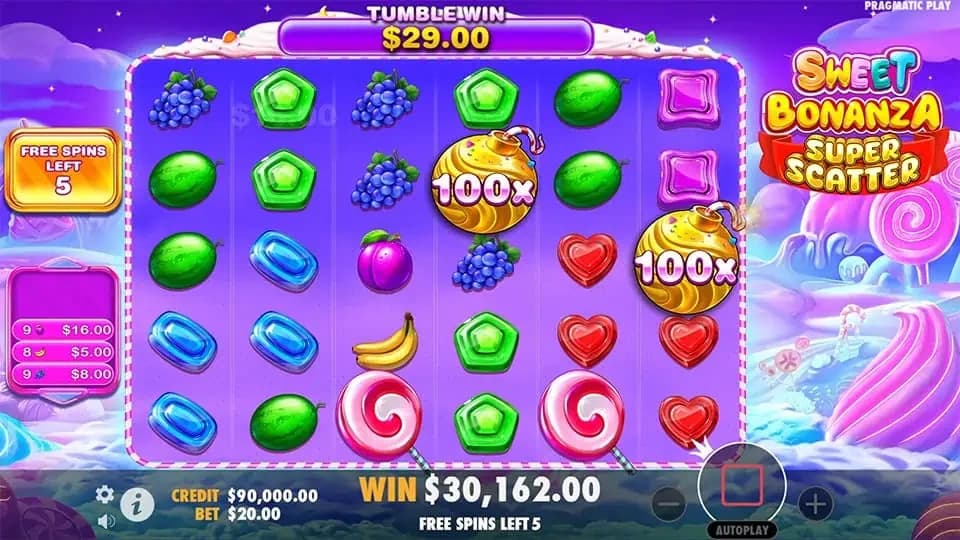
Turbo spin is held rather than tapped — press and hold the spin button. During Free Spins with several bombs on the grid, older handsets can stutter as the values animate. It does not affect the result, which is already determined server-side, but it does make the round harder to follow.
Operating system
Anything newer runs it comfortably. Older builds may load the grid but drop frames during a long tumble chain, which makes bomb values hard to read as they land.
Data usage
The heavy download is the first load — assets are cached afterwards. A full hour of spinning on mobile data is roughly the cost of three minutes of video.
Connection
Each spin is a small request; the graphics are already on the device. What matters is stability, not speed — a connection that drops mid-tumble is more annoying than a slow one.
Battery
Comparable to browsing with video autoplay on. Turbo spin actually draws more, not less, because it packs more animation into the same minute.


Troubleshooting
Eight problems and their fixes
Collected from reader reports. Each answer is the specific fix rather than a suggestion to restart the device.
Almost always a part-cached asset bundle. Force-close the browser or app, reopen it and load the slot again. If it still hangs, clear the site data for that operator only — full-screen shortcuts survive this, but you will need to sign in again.
You are not in Safari. Chrome, Firefox and Edge on iOS all use Apple's engine but none of them can create a full-screen web app. Copy the URL, paste it into Safari and repeat the steps.
Two usual causes. Either the operator sets a short session timeout, which nothing on your end will change, or your browser is set to clear cookies on close. On iOS check Settings > Safari > Block All Cookies is off; on Android check Chrome's "Clear cookies and site data when you close all windows".
A GPU limit on older handsets, made worse by several bombs animating together. Close background apps, turn off battery saver — it throttles the GPU hard — and use portrait rather than landscape, which renders fewer background layers. The outcome of the round is unaffected either way.
It should not be, and if it is, that is worth acting on. Same operator and same account means the same licensed build. Screenshot both info panels and send them to the operator's support; if they cannot explain it, take it to the UKGC.
That is correct behaviour for a UK account. The UK Gambling Commission prohibits bonus buys, so licensed operators must remove them. If you saw them earlier you were most likely in demo mode, where the buttons remain visible.
Check the orientation lock in your control centre or quick settings first. If it is off and the game still refuses, the operator has pinned the lobby to portrait — some do. Opening the game directly from a home-screen shortcut usually bypasses that wrapper.
Usually one of three things: the offer was not opted into before depositing, the deposit fell under the minimum, or the payment method is excluded — several operators exclude certain e-wallets from welcome offers. Live chat can normally apply it manually if you raise it the same day.
Mobile FAQ
Questions about playing on a phone
No. Pragmatic Play does not publish individual slots as apps. The game is HTML5 and runs in any modern mobile browser. What exists are casino apps that carry the slot in their lobby, plus the home-screen shortcut method described above.
Yes. It is the same certified game build served to the same account — 96.51% RTP on the top configuration, identical volatility, identical trigger frequency. The device changes nothing about the maths.
No. The browser and shortcut routes install nothing at all. Only the operator's own native app is a real download, and that comes from the App Store or Google Play rather than from a website.
Roughly 15 to 25 MB after the initial load, which itself is a few megabytes. Assets cache on the device, so a second session on the same day uses noticeably less.
Yes, and it looks better — bigger symbols and the full candy backdrop. Portrait remains the more practical mode if you adjust your stake often, because the controls are easier to reach one-handed.
Yes. It is in the controls panel to the left of the reels, behind the small menu icon. It costs 25% more per spin and roughly doubles how often Free Spins trigger, exactly as on desktop.
Reading the lobby is fine. Depositing over public Wi-Fi is not something we would do — use mobile data for anything involving a card or an e-wallet, where you control the network.
Yes, and they are identical to the desktop controls. Every UKGC-licensed operator must make deposit limits, loss limits, reality checks, time-outs and self-exclusion reachable from the mobile account area.
No account, no download — the same certified build the casinos serve, with play money.
